

.ZIP PASSWORD IS BLACKSPIGOT.COM , YOU MUST ENTER PASSWORD TO EXTRACT FILE
Password is CAP SENSITIVE and cannot be typed lowercase, Enter 'BLACKSPIGOT.COM' with uppercase letters!
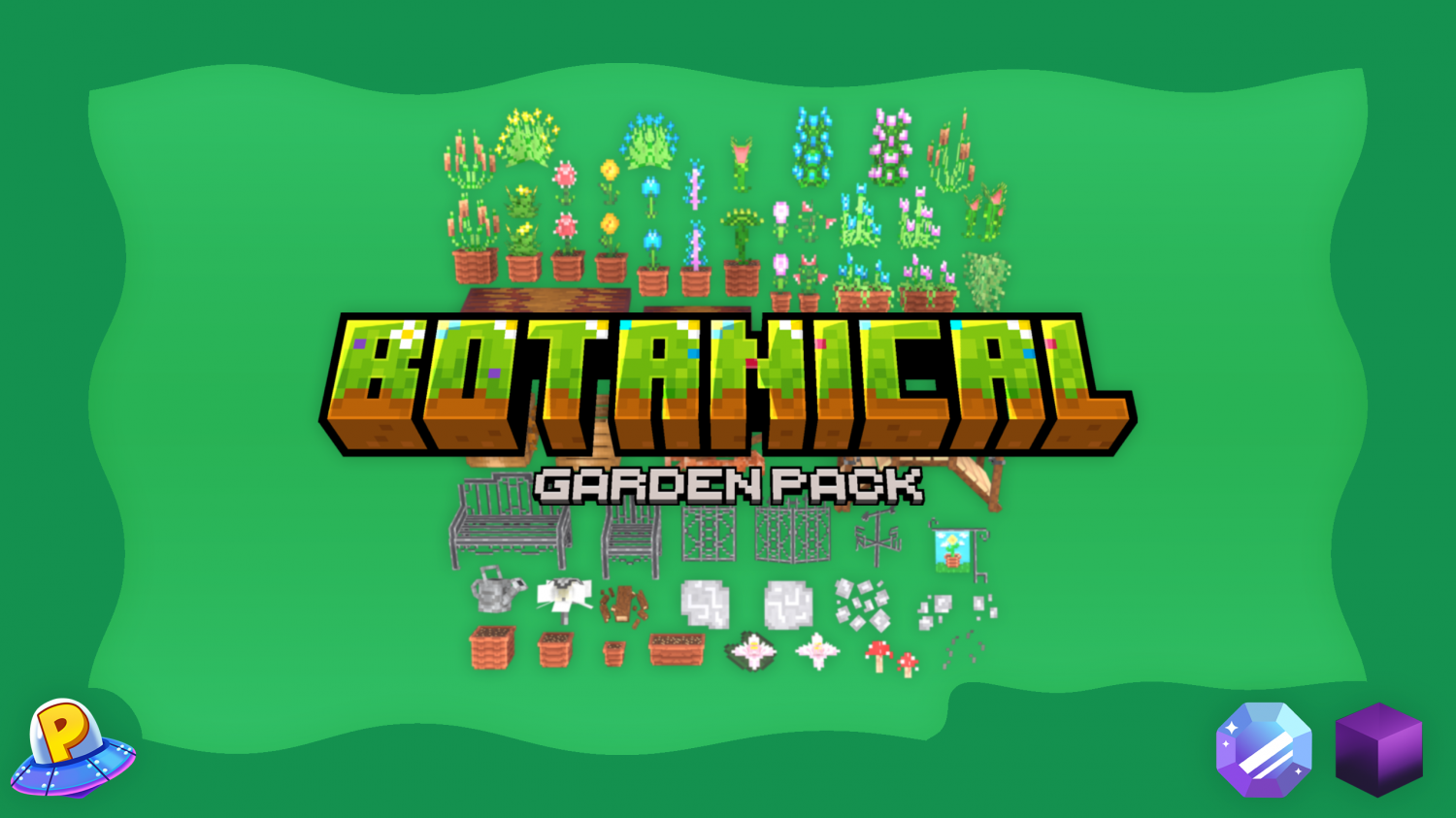
Furniture Included in Resource:
Configurations Included in Resource:
Oraxen: Drag the "Oraxen" folder into your /plugins directory. This file and the existing file will merge together automatically.
ItemsAdder: Drag the "ItemsAdder" folder into your /plugins directory. This file and the existing file will merge together automatically.
Password is CAP SENSITIVE and cannot be typed lowercase, Enter 'BLACKSPIGOT.COM' with uppercase letters!
Furniture Included in Resource:
- Amaryllis Flower
- Amaryllis Flower Pot
- Baptisia Flower
- Blue Poppy Flower
- Blue Poppy Flower Pot
- Blue Rose Bush
- Blue Tulips
- Blue Tulips Pot Floor
- Blue Tulips Pot Wall
- Bridge
- Bromeliad
- Bromeliad Pot
- Calla Lily
- Calla Lily Pot
- Cattail
- Cattail Pot
- Daylily
- Daylily Pot
- Empty Compost Bin
- Fallen Branches
- Full Compost Bin
- Garden Flag
- Garden Light
- Yellow Hanging Plant
- Blue Hanging Plant
- Pink Hanging Plant
- Jessamine Flower
- Large Flower Pot
- Large Natural Pathway (v1)
- Large Natural Pathway (v2)
- Large Table
- Lionette
- Lionette Pot
- Medium Flower Pot
- Medium Table
- Metal Bench
- Metal Chair
- Metal Fence
- Metal Fence Corner
- Natural Pathway
- Natural Rocks (v1)
- Natural Rocks (v2)
- Pink Rose Bush
- Pink Tulips
- Pink Tulips Pot Floor
- Pink Tulips Pot Wall
- Red Cornflower
- Red Cornflower Pot
- Red Mushrooms
- Rustic Farm Plow
- Small Flower Pot
- Small Table
- Tall Cattail
- Venus Fly Trap
- Venus Fly Trap Pot
- Venus Fly Trap Cluster
- Vines
- Water Lily
- Water Lily Pad
- Watering Can
- Wide Flower Pot Floor
- Wide Flower Pot Wall
- Wind Checker
- Worms (Animated)
Configurations Included in Resource:
- ItemsAdder [Drag & Drop]
- Oraxen [Drag & Drop]
- .bbmodel Files
- README.txt
Oraxen: Drag the "Oraxen" folder into your /plugins directory. This file and the existing file will merge together automatically.
ItemsAdder: Drag the "ItemsAdder" folder into your /plugins directory. This file and the existing file will merge together automatically.


