
 Neptune Practice Setup – Modern PvP Series
Revolutionary practice setup with modern kits matching original MCTiers!
Battle across multiple arenas, master competitive kits, and climb the leaderboards!
Built with precision by [COLOR=rgb(87, 95, 109)]zArrowTan[/COLOR] – part of the Modern PvP Series.

 Core Features
Neptune Practice Core — Powered by Neptune Practice Core by [COLOR=rgb(87, 95, 109)]lrxh[/COLOR]
 Full Hex Design — Menus, holograms, TAB, NPCs & scoreboards styled with royal purple
 Modern Kits — Nodebuff, Netherite Pot, Sumo, Crystal PvP, UHC, SMP & more
 Handpicked Arenas — Each arena carefully selected for competitive play
 Custom Hotbar — Fully hex-customized items for an epic visual experience
 TAB & Scoreboard — Dynamic displays with royal purple hex theming
 Social Menus — Discord, YouTube & Website integration with epic design
 Lobby Experience
 Hub NPCs — Interactive NPCs for ranks, cosmetics, battle pass & more
 Welcome Hologram — Stunning spawn hologram with jump pads
 /rewards Menu — Daily rewards with 24-hour cooldown (Default, VIP & MVP tiers)
 Hex Aesthetics — Every menu crafted with royal purple for maximum appeal
Gameplay Systems
 Battle Pass System — First-ever practice setup with battle pass! Level up & unlock cosmetics
MCTiers-Style Kits — Modern competitive kits matching original MCTiers
 Active Progression — Earn XP by playing games and staying active
 Cosmetic Unlocks — Rewards tied to battle pass progression
 Staff Ranks
 Helper — Handle basic moderation & player assistance
 Moderator — Manage kicks, bans, and mutes
 Admin — Full permissions with oversight tools
 /staff-guide — View all staff permissions & abilities in one menu
 Technical Specs
 Built on 1.21.11 — Configured for Minecraft 1.21.11 with Java 21
Neptune Practice Core — Requires Neptune Practice Core by [COLOR=rgb(87, 95, 109)]lrxh[/COLOR]
 Optimized Setup — Hex menus, holograms, and custom NPCs
 Recommended RAM — 5–8 GB for smooth, lag-free gameplay
 Monetization & Ranks
 VIP & MVP Ranks — Proper rank system with exclusive perks
Daily Rewards — Tiered rewards for Default, VIP & MVP players
Battle Pass Revenue — Monetize through cosmetic unlocks & progression
 Rank Menus — Clean hex-based menus showcasing all perks
 Future Plans
 FFA Gamemode — Free-for-all combat arenas coming soon
More Kits — Expanding competitive kit selection
Additional Arenas — New maps for enhanced variety
Cosmetic Expansion — More battle pass rewards & unlockables

 Special Thanks to Our Partners
This setup wouldn't be possible without these amazing collaborators!

ITITAN Hosting – Official Hosting Partner
Click to order with 15% off or use code ARROWTAN at checkout!

MCsets – Payment Infrastructure Partner
Payment infrastructure for game sales. Accept payments worldwide with 135+ currencies and automated delivery

 Explore these exclusive previews highlighting the setup's
competitive kits, battle pass system and practice-themed hub in action.

Welcome to the Neptune Practice Lobby.
A stunning fantasy hub built with modern structure,
featuring holograms and interactive NPCs for players.
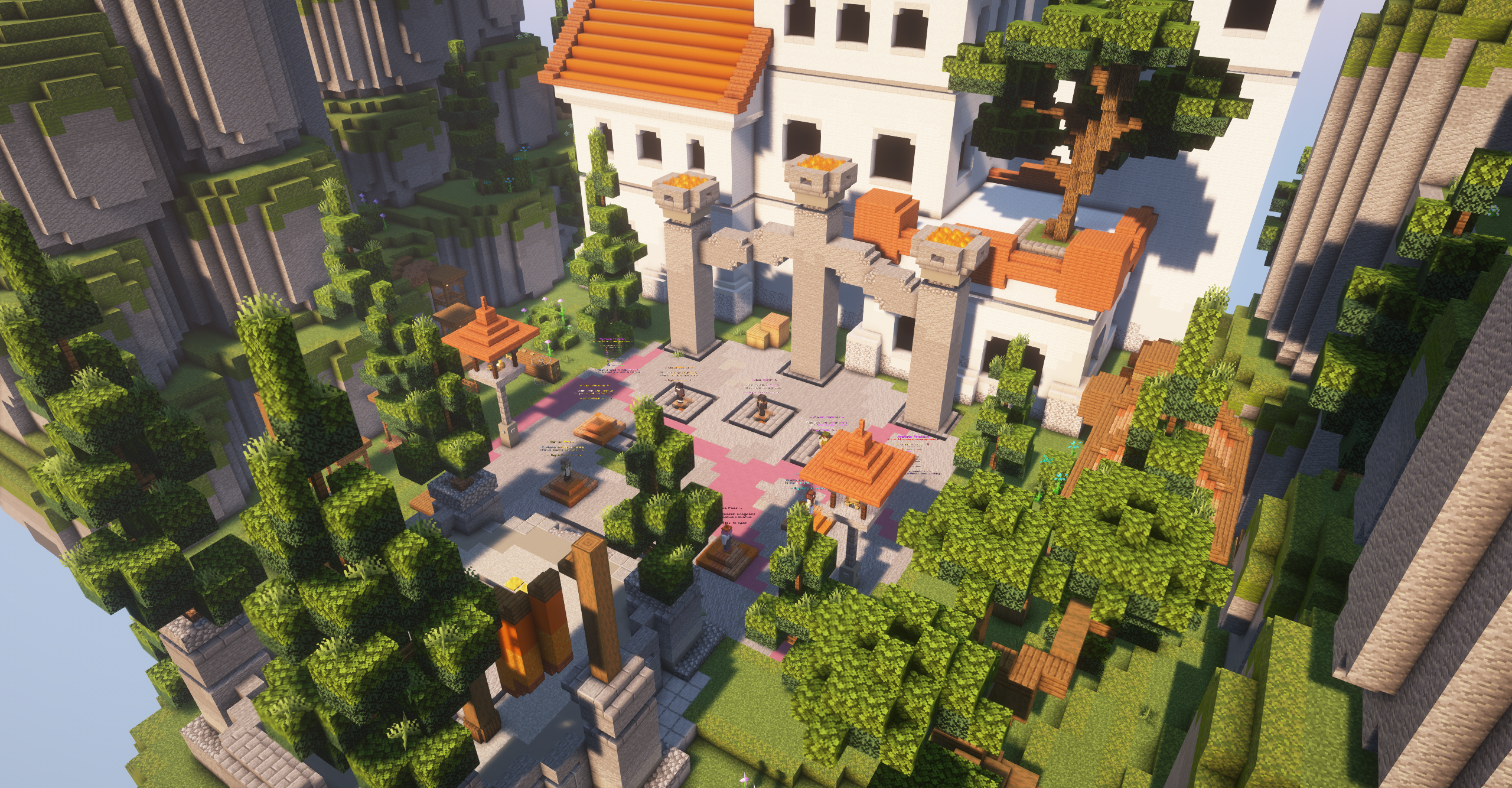
An overhead view of the Neptune lobby,
showing its aesthetic design and layout from above.
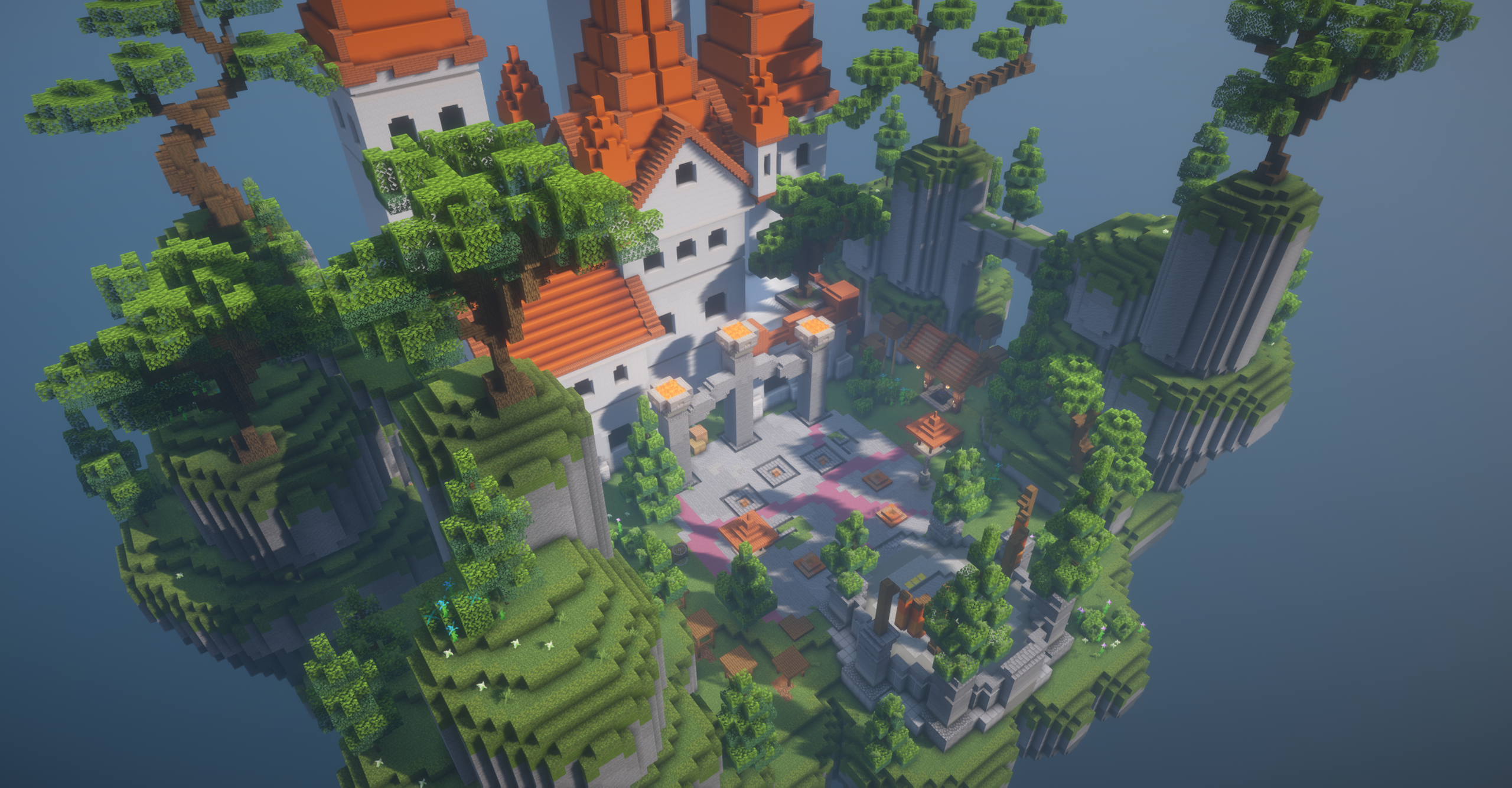
Another angle showcasing the lobby's beauty,
built by [COLOR=rgb(87, 95, 109)]MC-Shop[/COLOR] with stunning fantasy architecture.
The lobby NPCs offer quick access
to queuing, leaderboards, stats, cosmetics, battle pass, ranks, and daily rewards,
all presented with detailed models and a modern aesthetic.
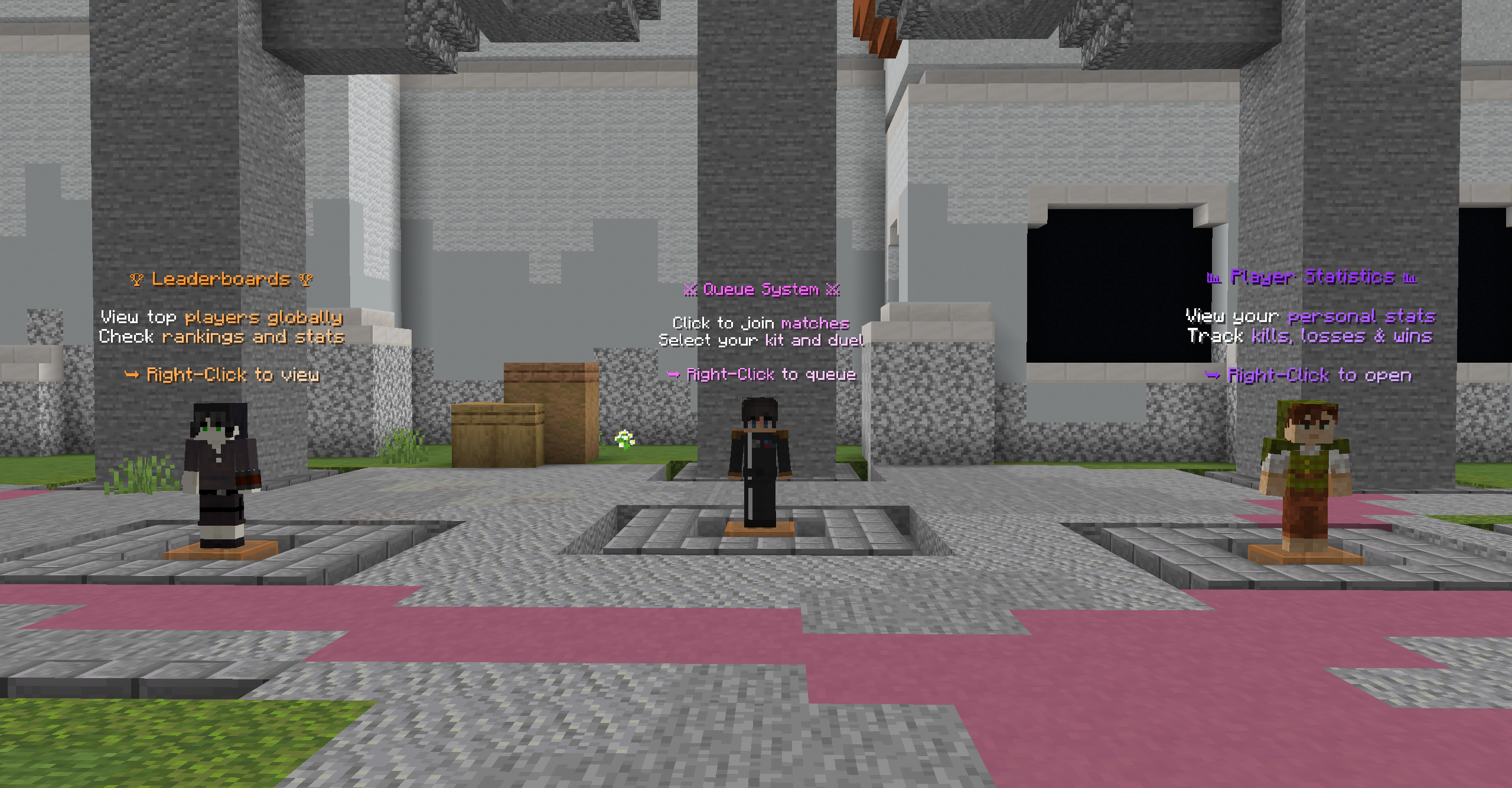
Main NPC trio for queuing, leaderboards, and player stats.
Polished placement and matching outfits at the hub's center.
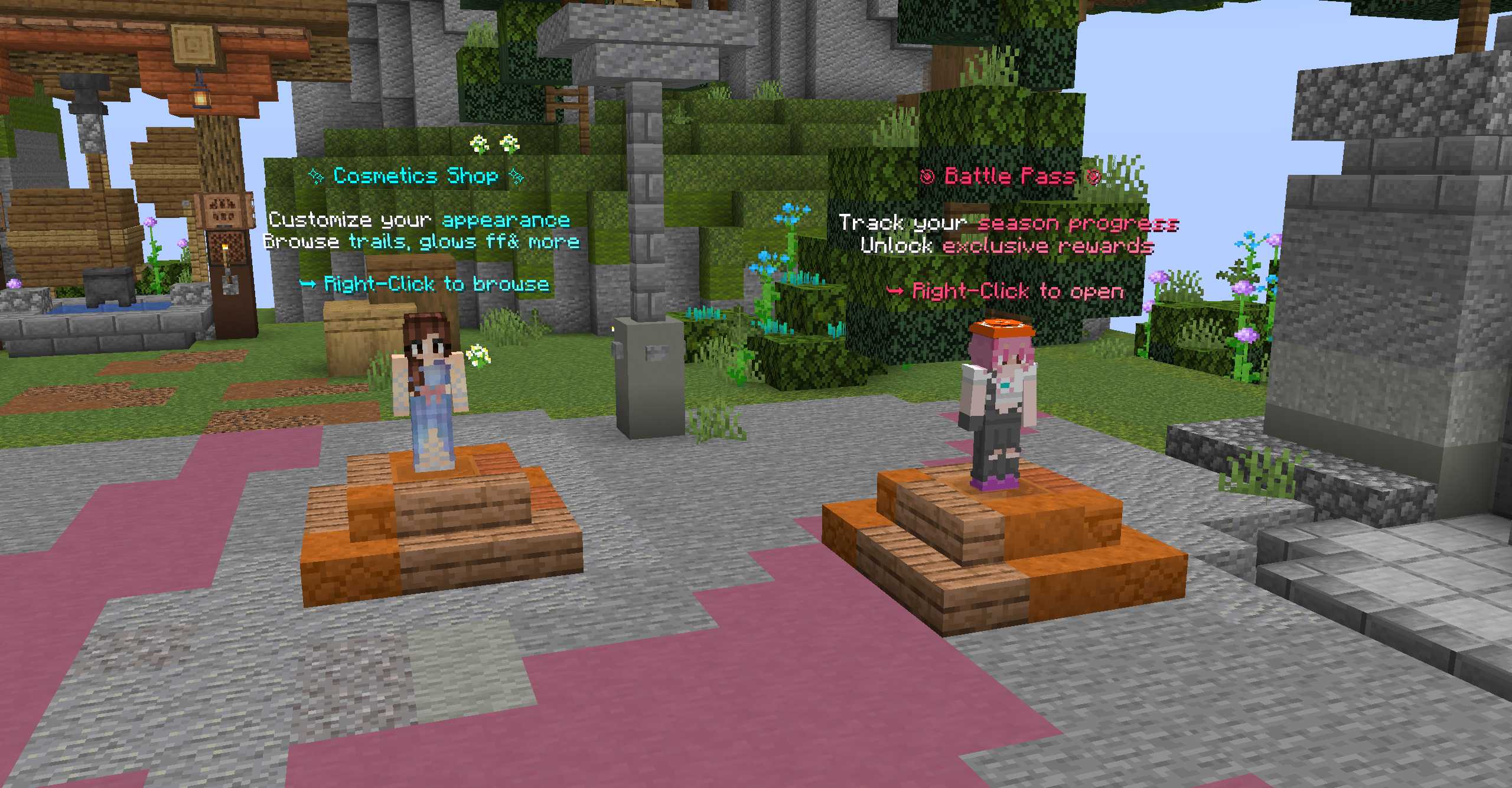
Right side NPCs for cosmetics and battle pass.
Unlock rewards and customize your player appearance.
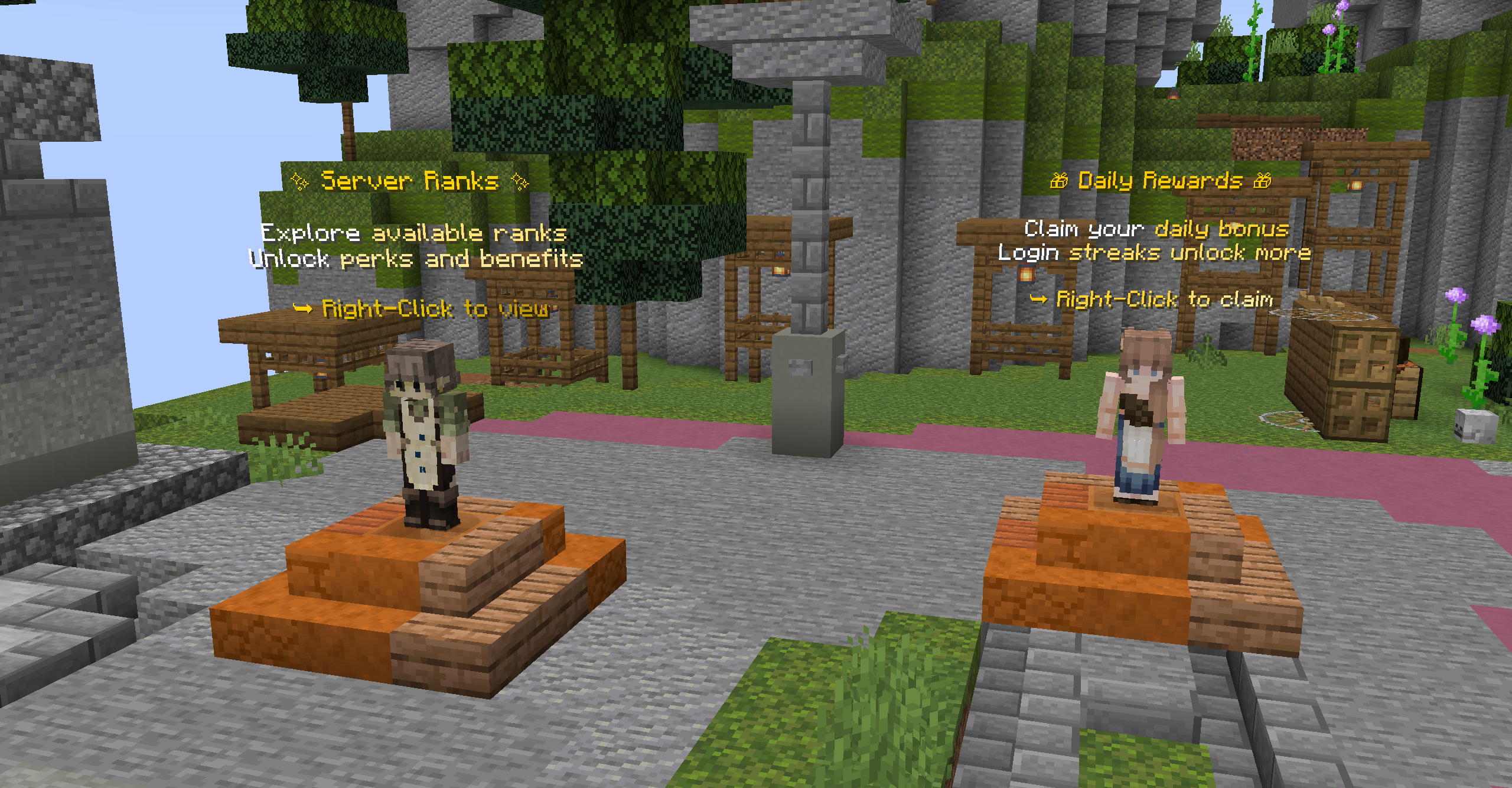
Left side NPCs for ranks and daily rewards.
View VIP perks and claim your daily bonuses.
The hologram system uses a royal purple theme
to create a stunning aesthetic look across the lobby,
keeping each display clean, bright, and modern.
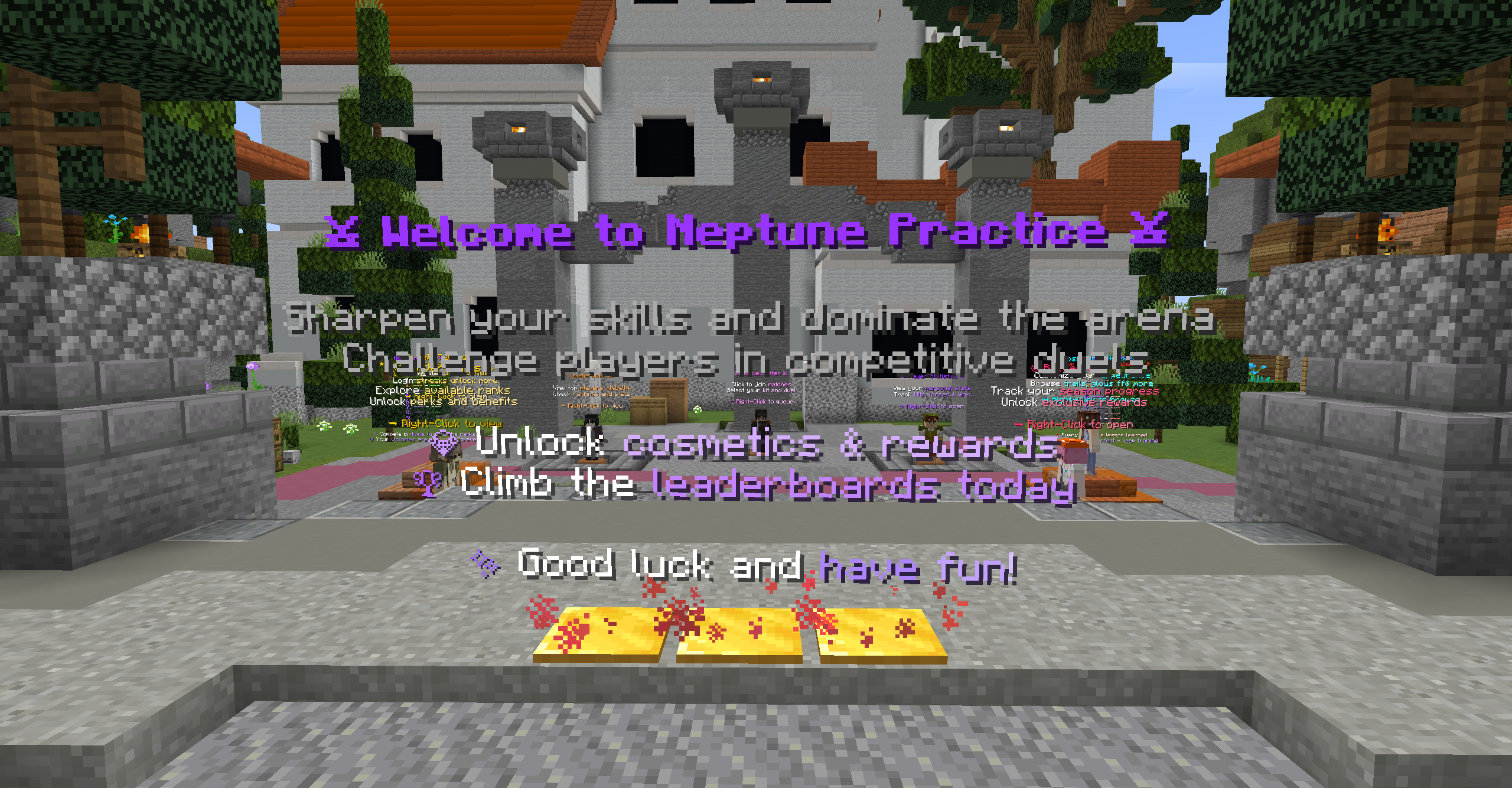
The welcome hologram greets players as they enter the hub,
using purple gradients and gentle tones to create a professional atmosphere.
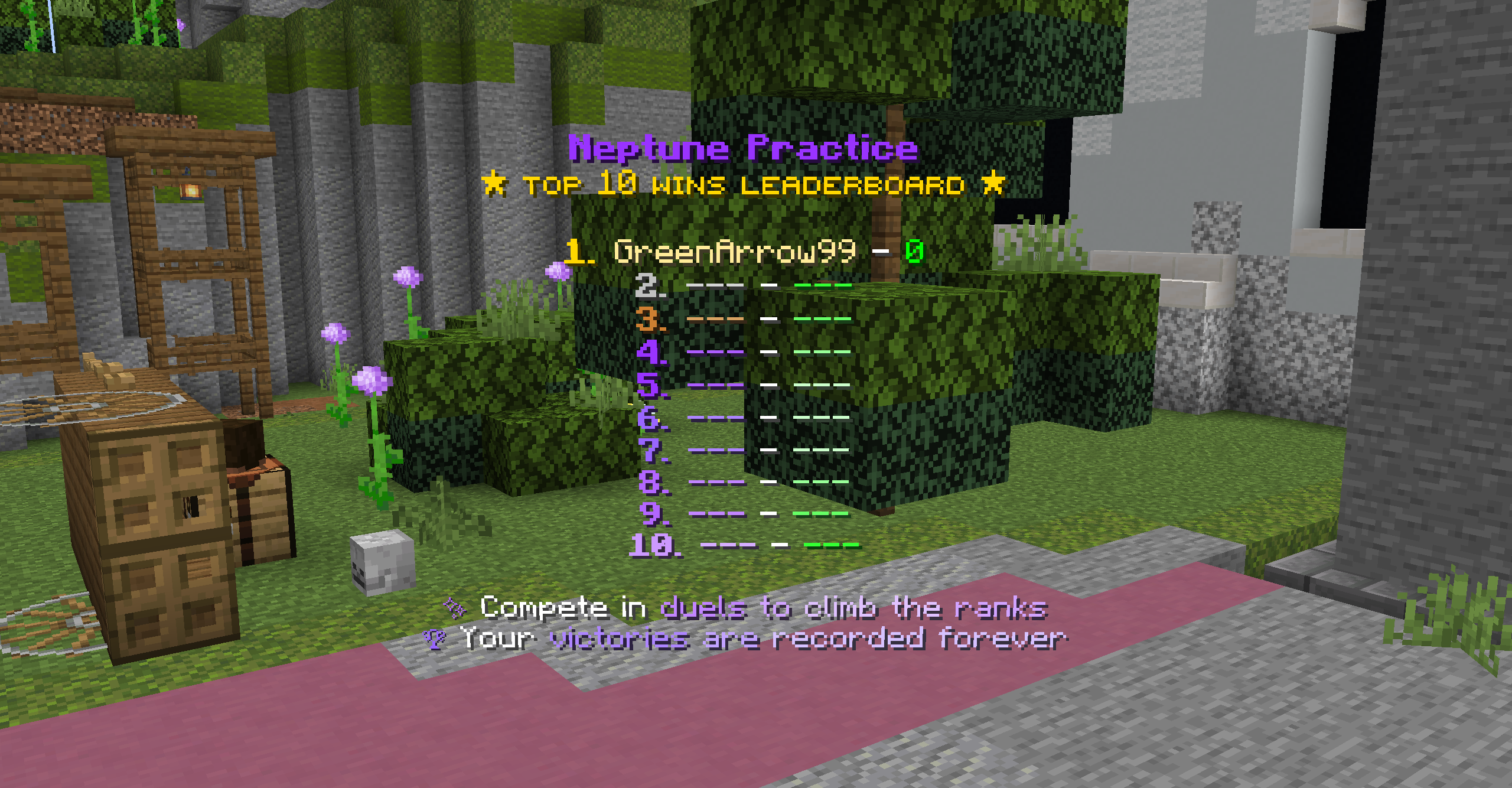
The Top 10 Wins leaderboard showcases the best players,
updating regularly to track competitive performance and achievements.
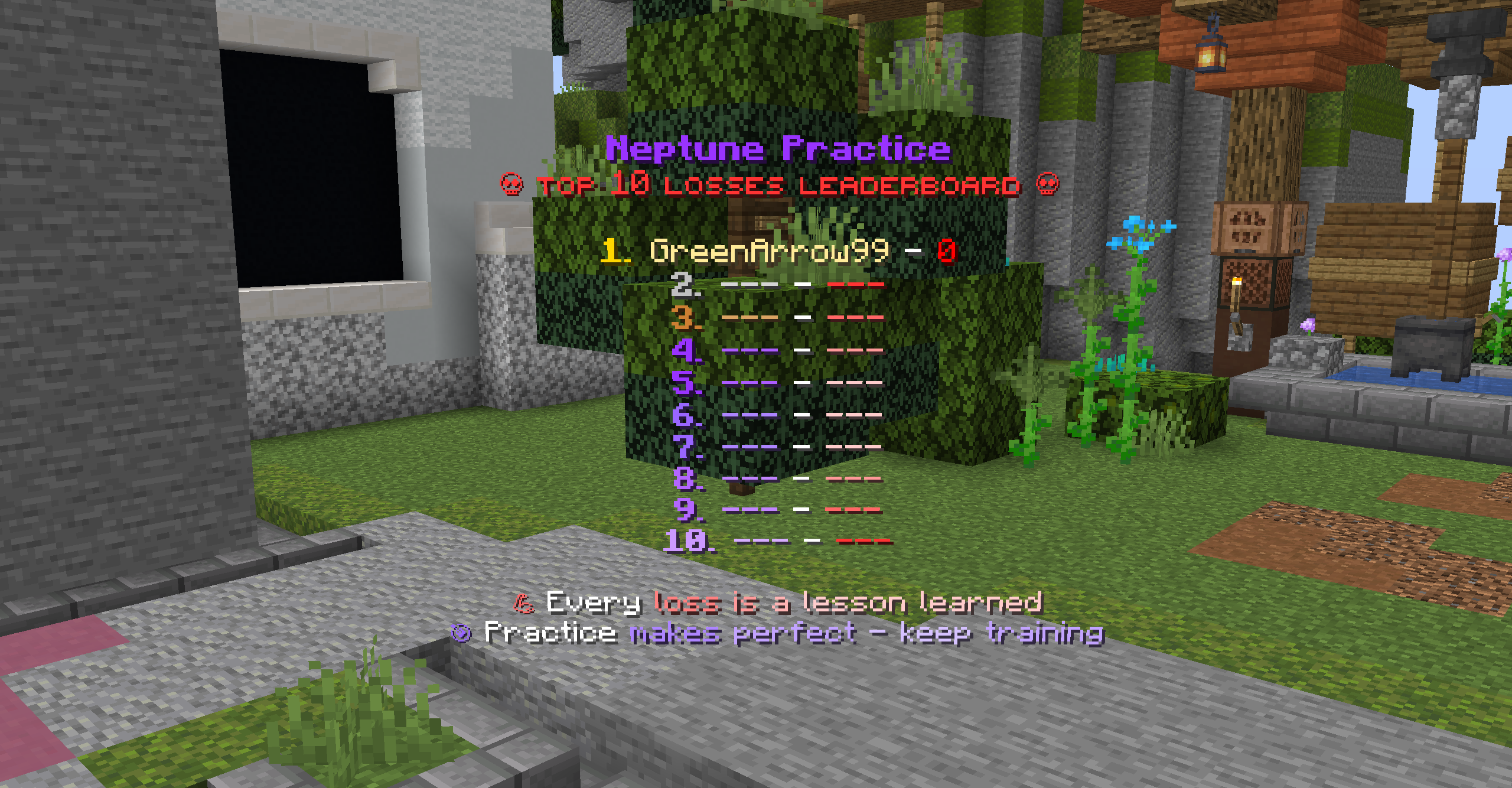
The Top 10 Losses leaderboard — be careful or you'd end up here!
Tracks players with the most defeats for a fun twist.
Explore the comprehensive menu system, featuring
ranks, daily rewards, queue selection, battle pass, cosmetics, rules, socials, and staff guide.
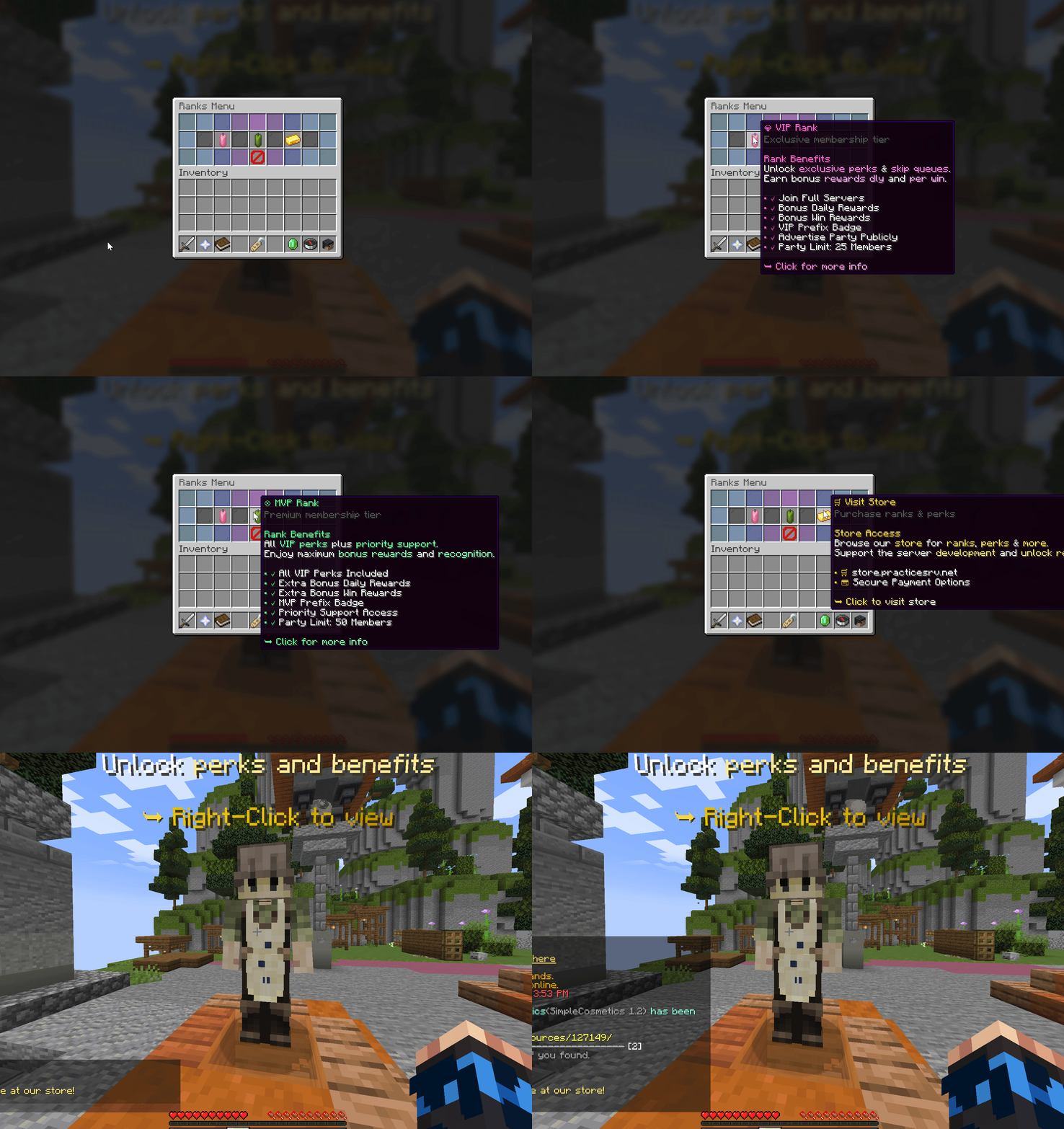
Ranks Menu — view all available ranks and their perks.
Showcases VIP and MVP benefits clearly.
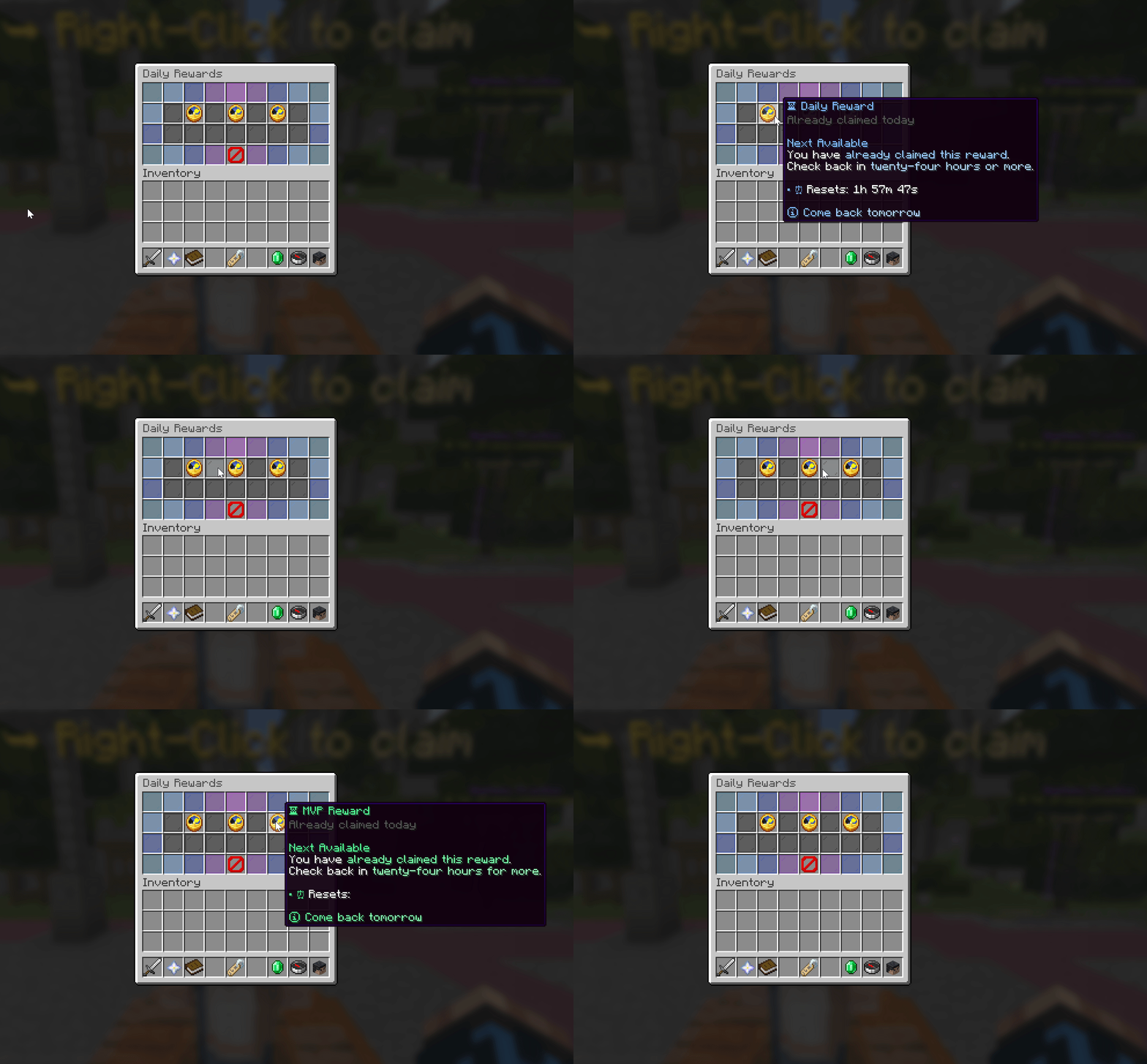
Daily Rewards Menu — claim your daily bonuses.
Different rewards for Default, VIP, and MVP players.
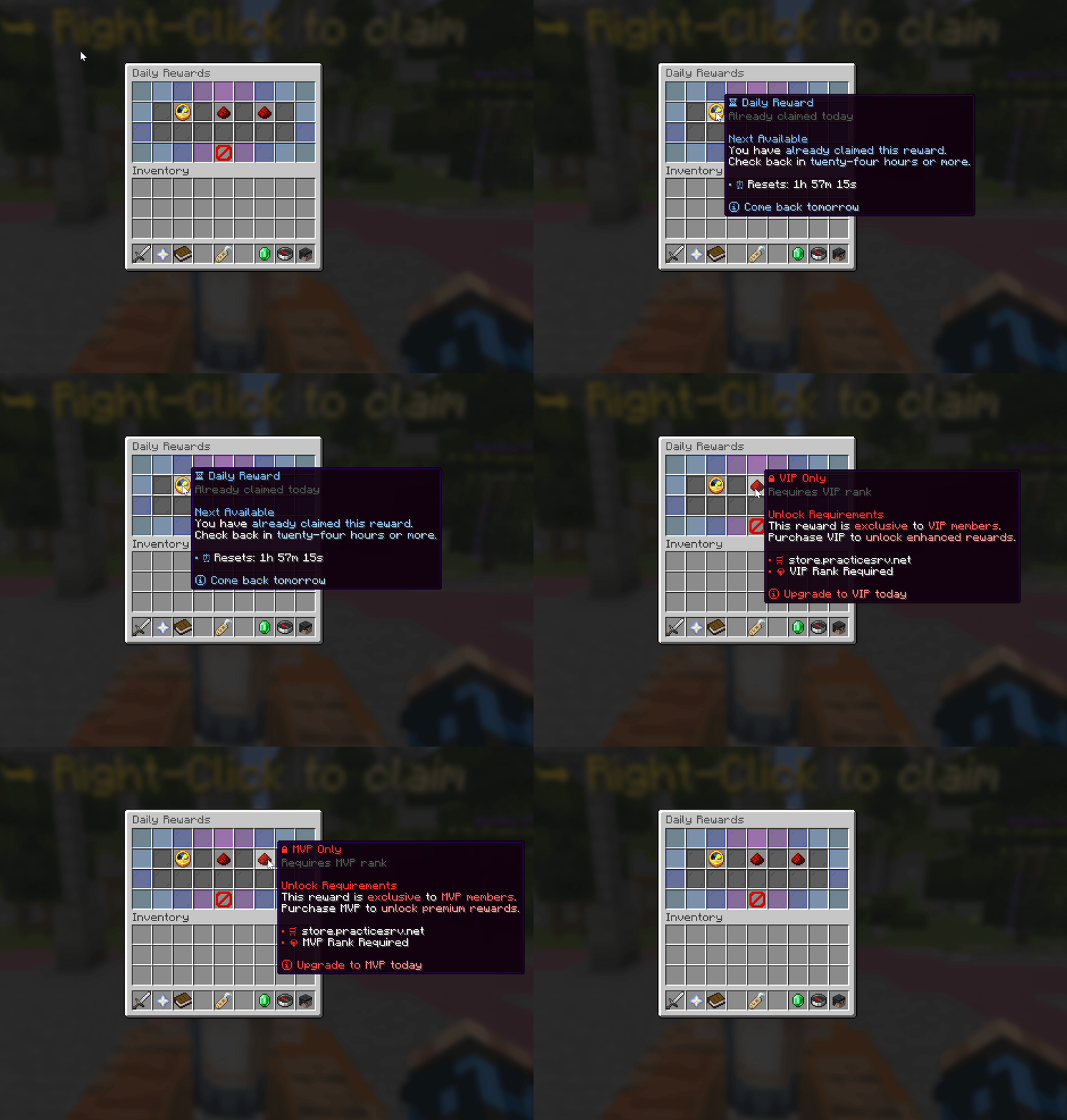
Daily rewards with locked tiers for default players.
Encourages rank upgrades to unlock better rewards.
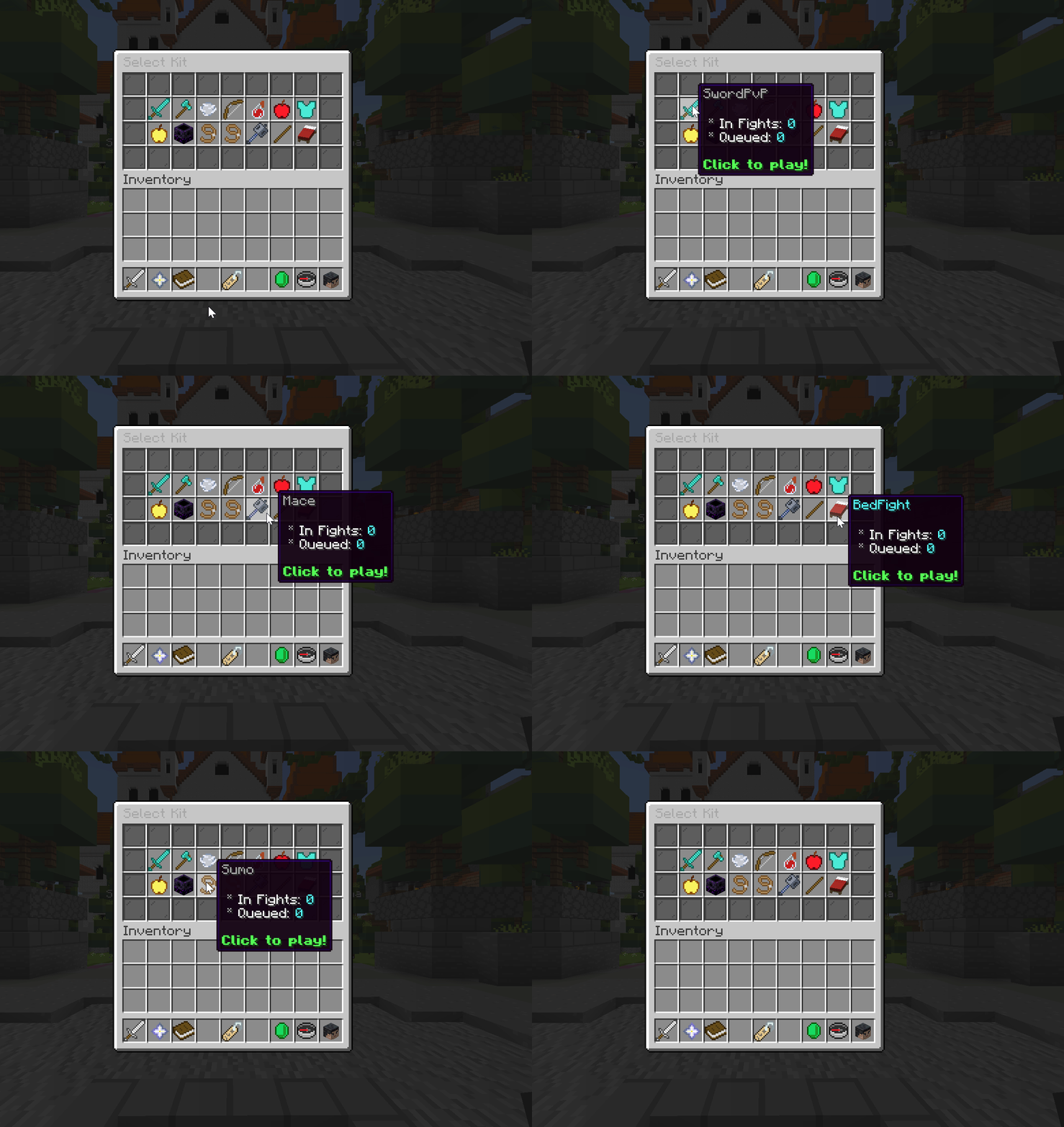
Queue Menu — select your kit and join the fight.
Browse all available practice modes and kits.
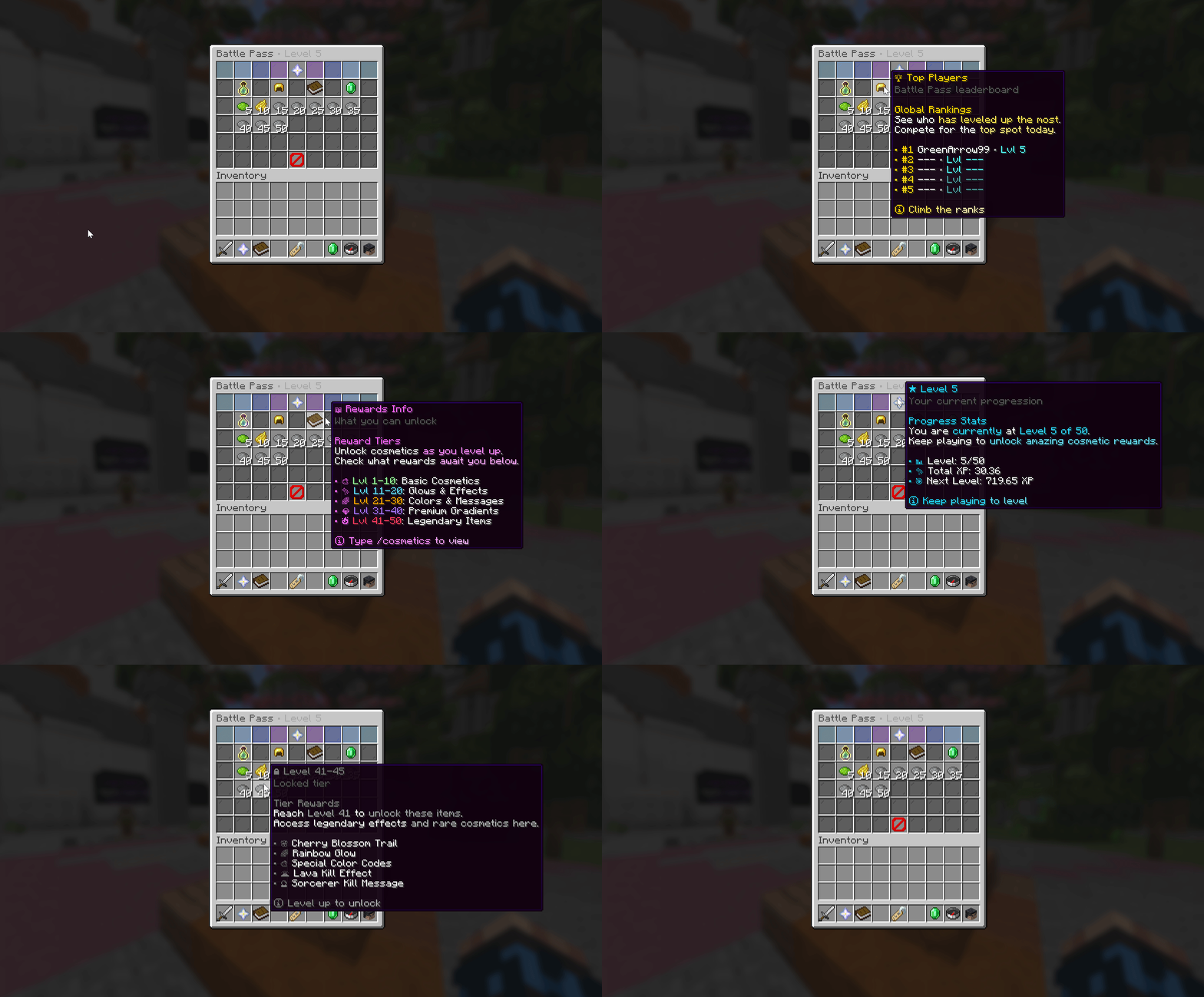
Battle Pass Menu — track your progression and rewards.
Level up to unlock exclusive cosmetics and items.
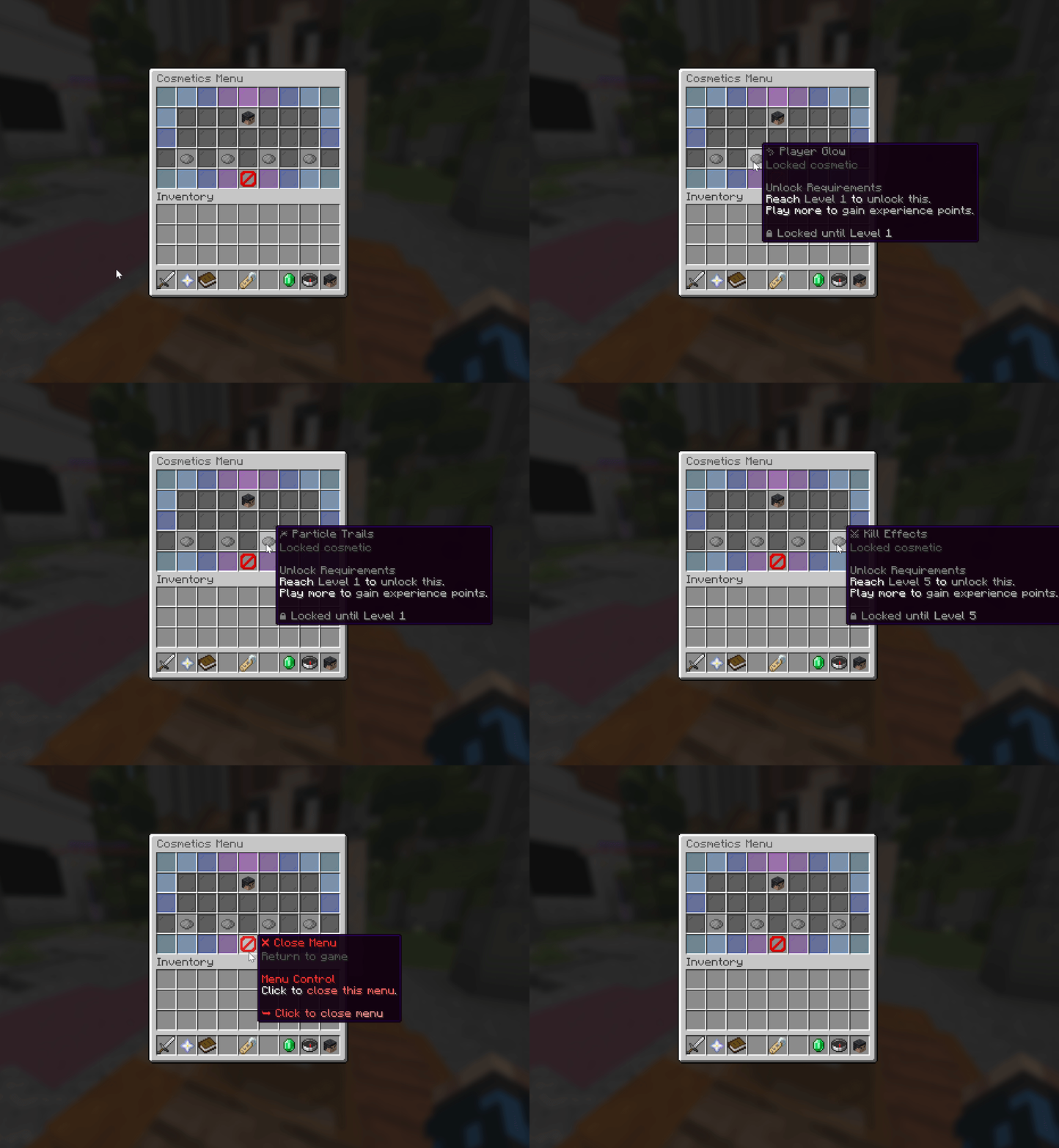
Cosmetics Menu (Locked) — how it looks at level 1.
Most cosmetics are locked until you progress through the battle pass.
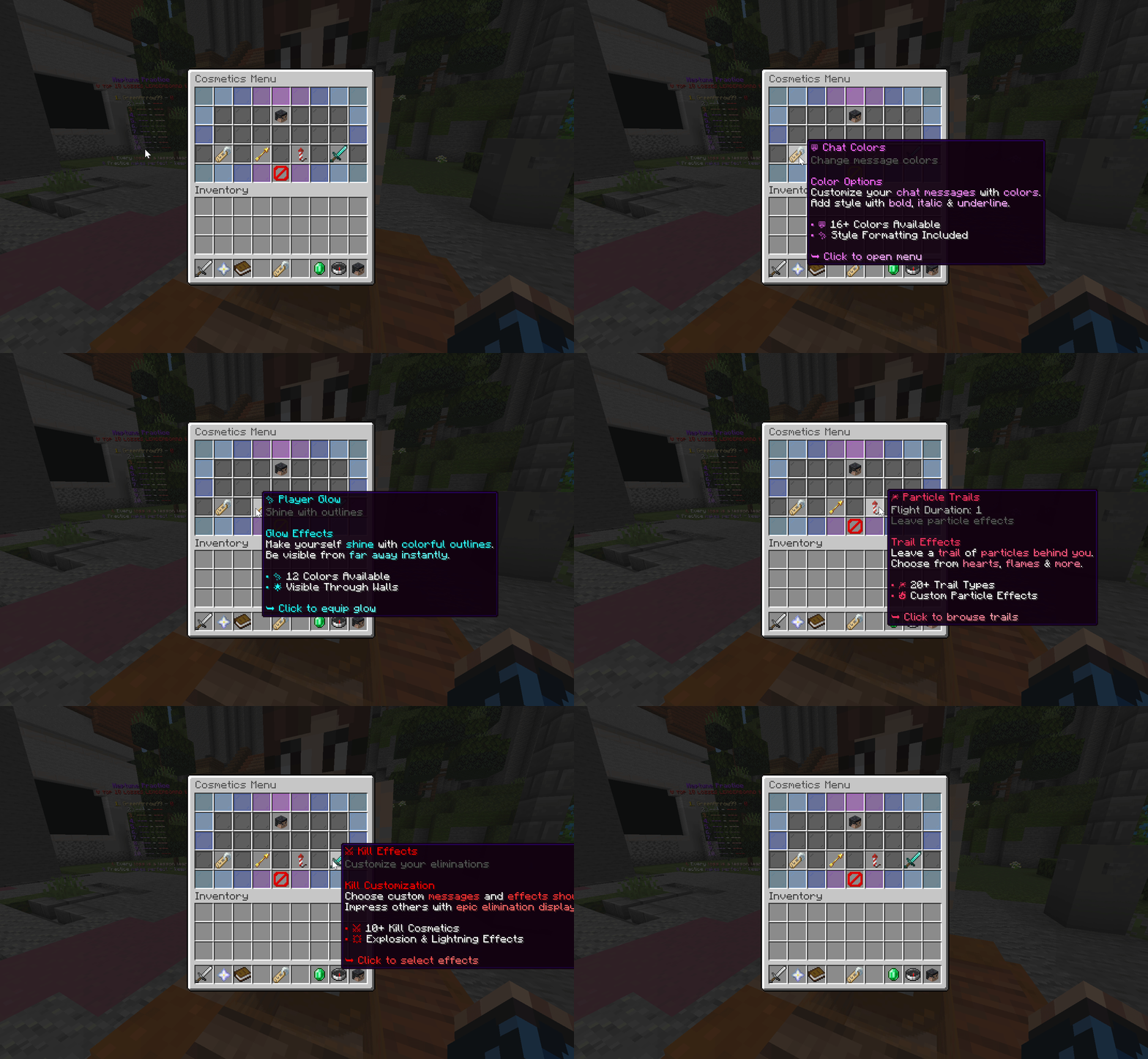
Cosmetics Menu (Unlocked) — customize your appearance.
Access kill effects, messages, and other unlocked items.
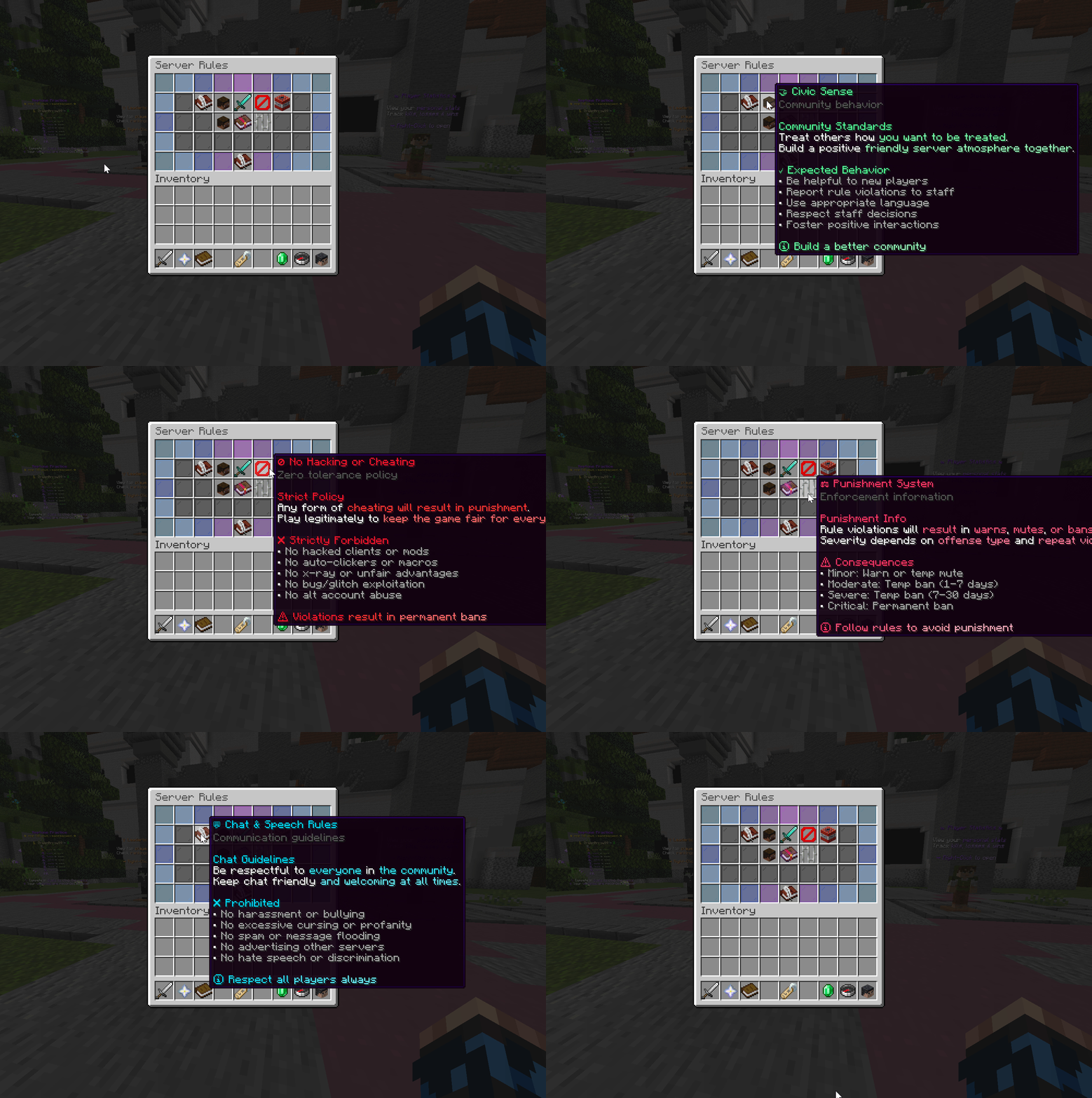
Rules Menu — read the server rules and guidelines.
Keep the community safe and fair for everyone.
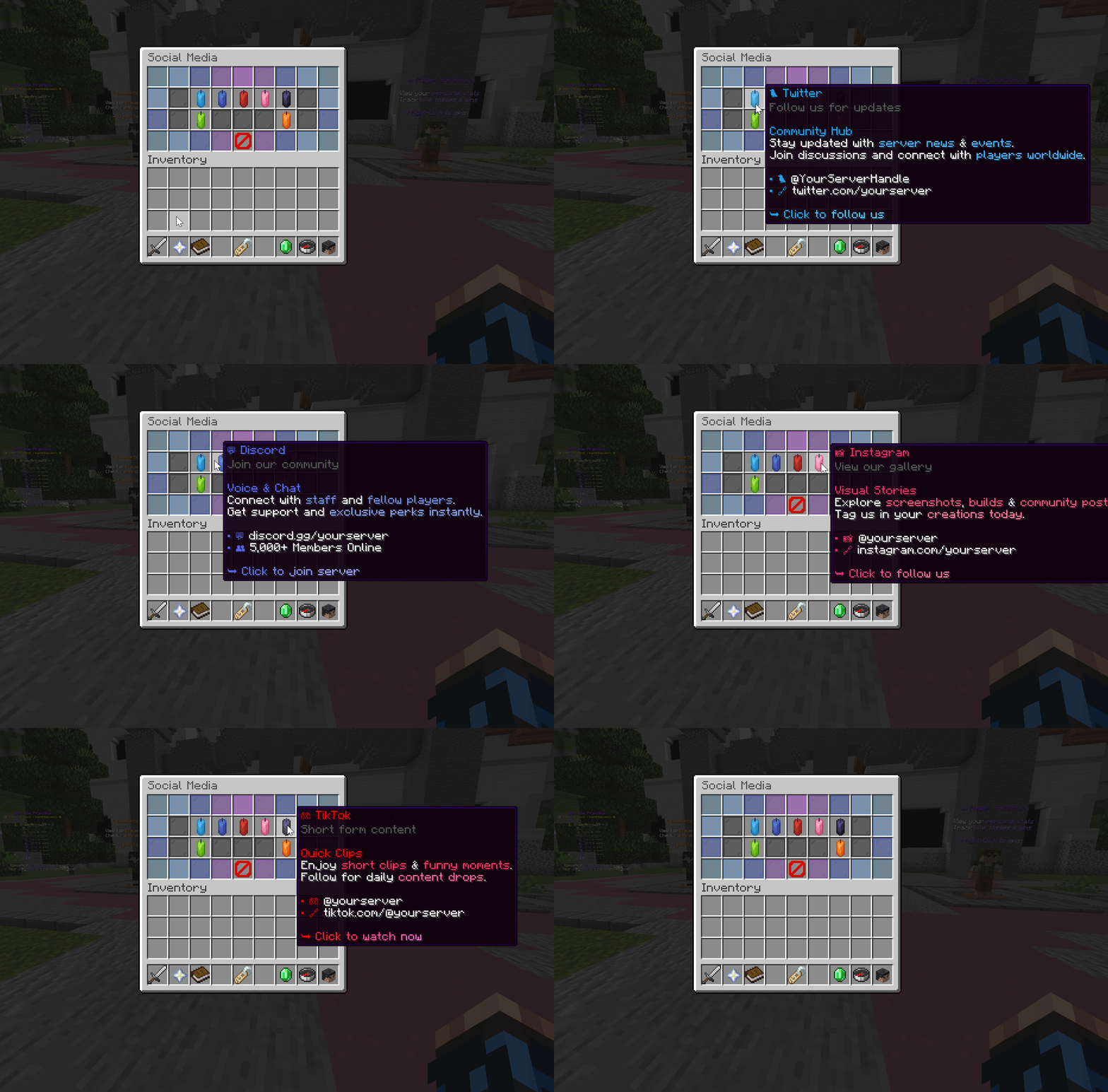
Socials Menu — connect with the community.
Wide range of social media options to stay updated.
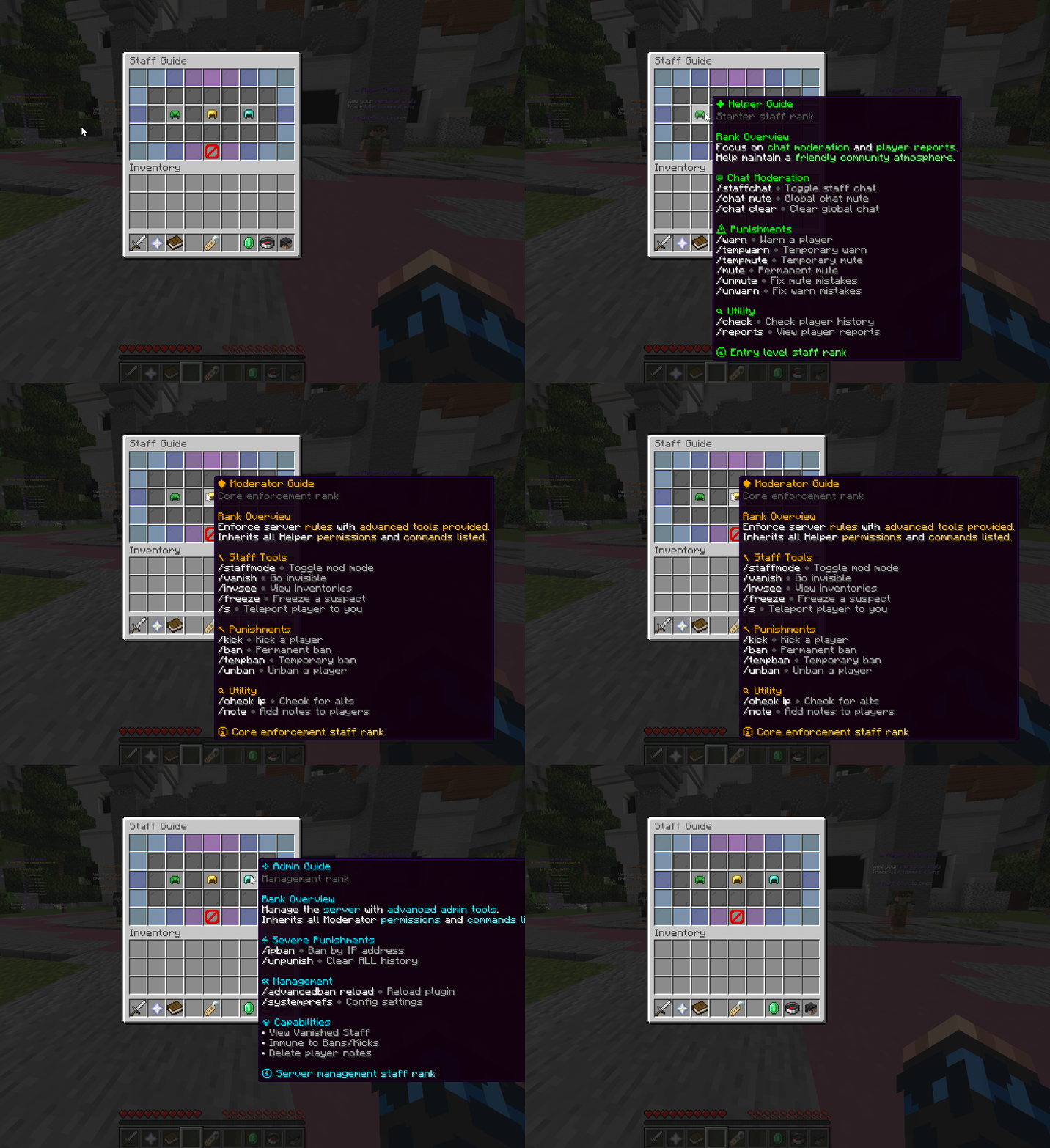
Staff Guide Menu — view commands and permissions.
Shows what Helper, Moderator, and Admin can do.
The Hotbar Items are fully customized with hex styling,
providing quick access to essential menus with a modern purple aesthetic
that matches the overall server theme.
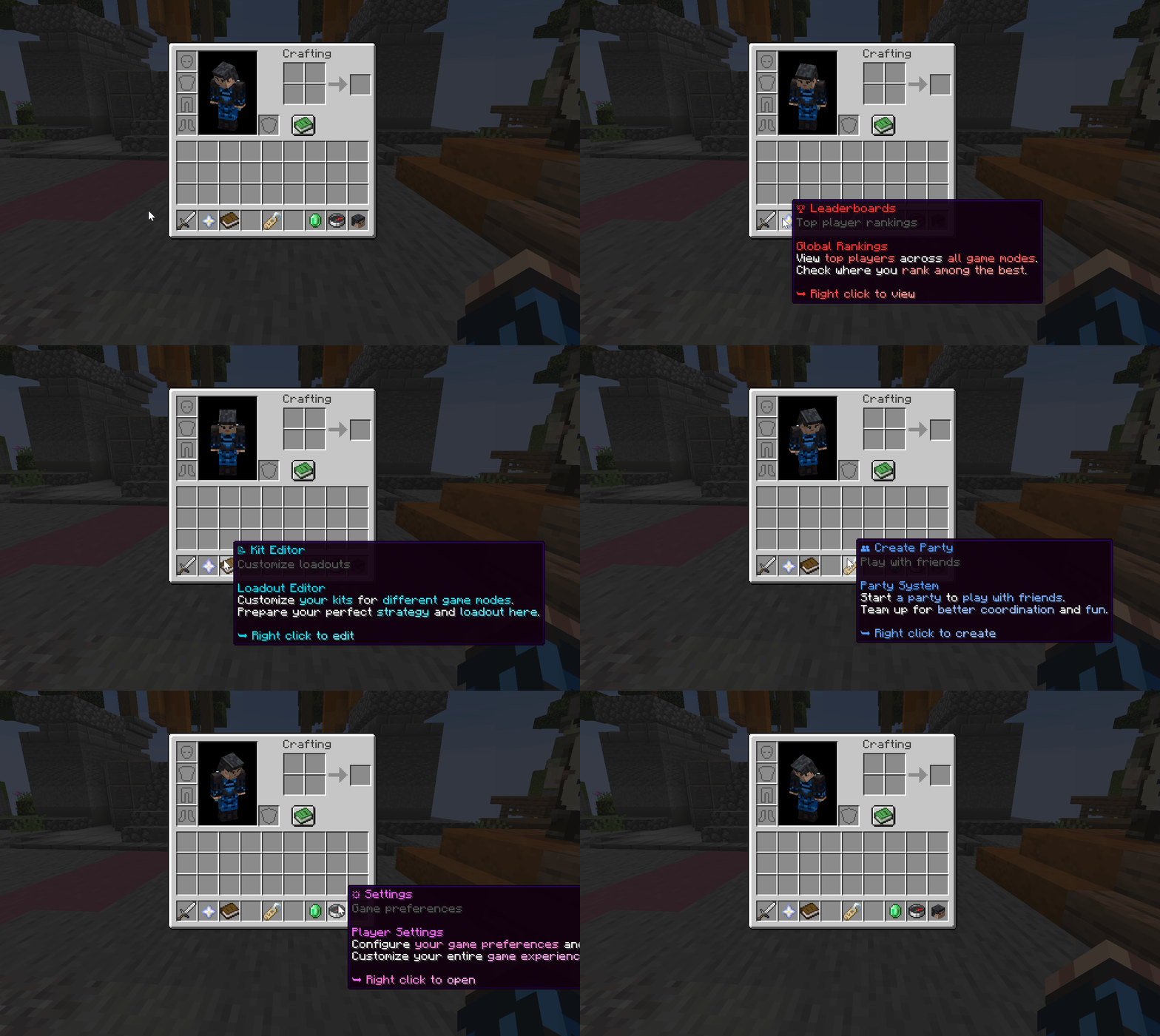
Lobby hotbar items showcase the hex-styled design,
featuring queue selection, kit editor, party system, and more.
The TAB and Scoreboard System in Neptune Practice
follows a consistent royal purple aesthetic,
balancing clarity, detail, and visual polish throughout gameplay.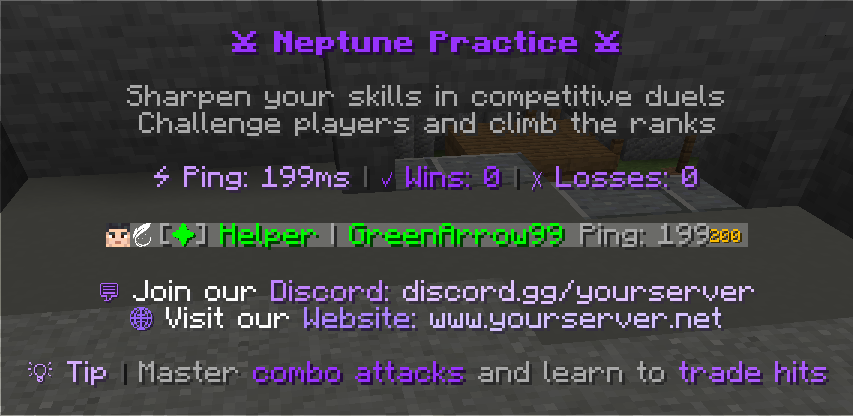
The TAB Menu features detailed metrics in the header,
and server info & links displayed cleanly in the footer.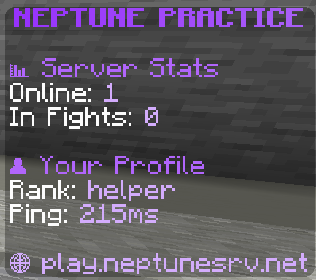
The Lobby Scoreboard is crafted in a purple modern layout,
displaying queue status and player info. Multiple scoreboards available in-game.

Need help setting up Neptune Practice Setup - Modern Practice?
Check out our comprehensive documentation!
Our documentation covers installation guides, configuration tips,
game systems, features overview, and troubleshooting.
Everything you need to get your Neptune Practice server up and running!
View Documentation
Step-by-step guides, feature explanations, and detailed configuration instructions.

Thanks for choosing the Neptune Practice Setup,
part of the Modern PvP Series.
Need help with installation? Found a bug? Want to suggest features?
Join our Discord community for quick support, setup assistance,
troubleshooting, and direct access to updates & announcements.
We're here to ensure your server runs smoothly and reaches its full potential!
https://discord.gg/5aysHK6fw6
Get support, report bugs, share feedback, and connect with other server owners.

FREE Neptune Practice Setup | Modern Practice v2.0 - 1.21.11
- Author PayPal
- Creation date

More resources from PayPal
-
 BestraXCore | Grief setup | Russian serverBestraXCore | Grief setup | Russian server
 -
 OG HYPIXEL SKYBLOCK SETUP | Runes Mana Collections Skills OG Farming Schem and More!Custom Hypixel style OG SkyBlock Setup with lots of features!
 -
 FunSky | Anarchy server | Backup | 06.07.2026 | Russian serverLast dump russian server.
 -
 MCPVP Setup | Modern PracticeA modern practice replica of famous minecraft server.
 -
 Prison SetupDELUXE EDITION OF CUSTOM CODED PRISON SETUP | 300 PICKAXE UPGRADES | deluxeprison.premadesetups.com