

UltimateUI is a Minecraft UI and HUD plugin with an in-game cursor editor, an offline web editor and a matching resource pack.
Gameplay examples below are from the previous community release. See the current validation notes included in the download.
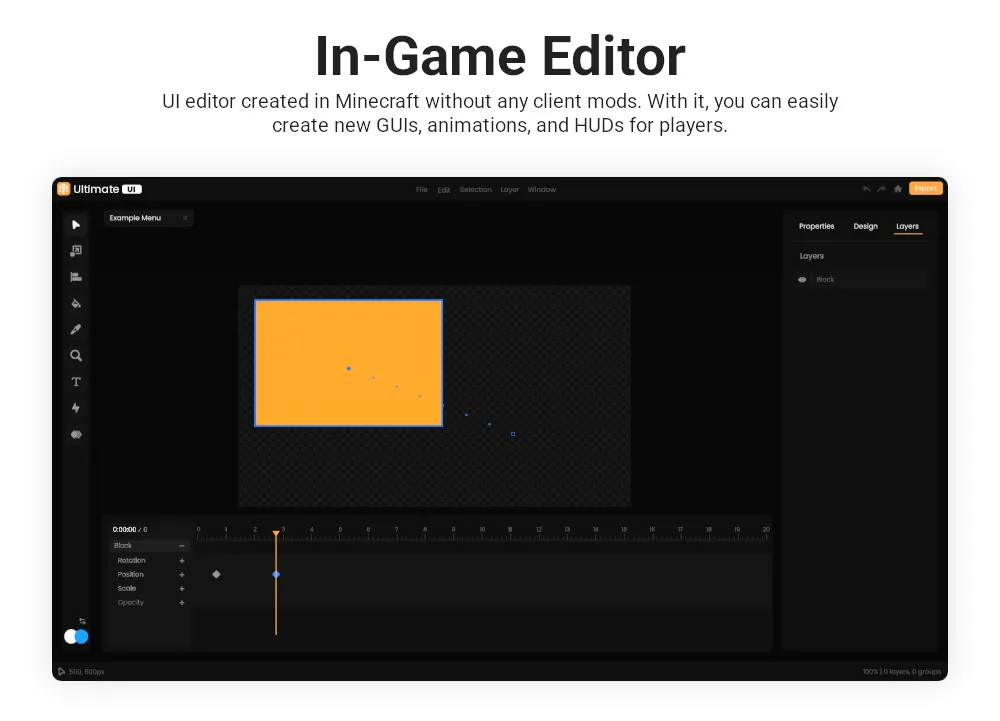
In-game editor

Cursor UI

UI demonstration

Animations
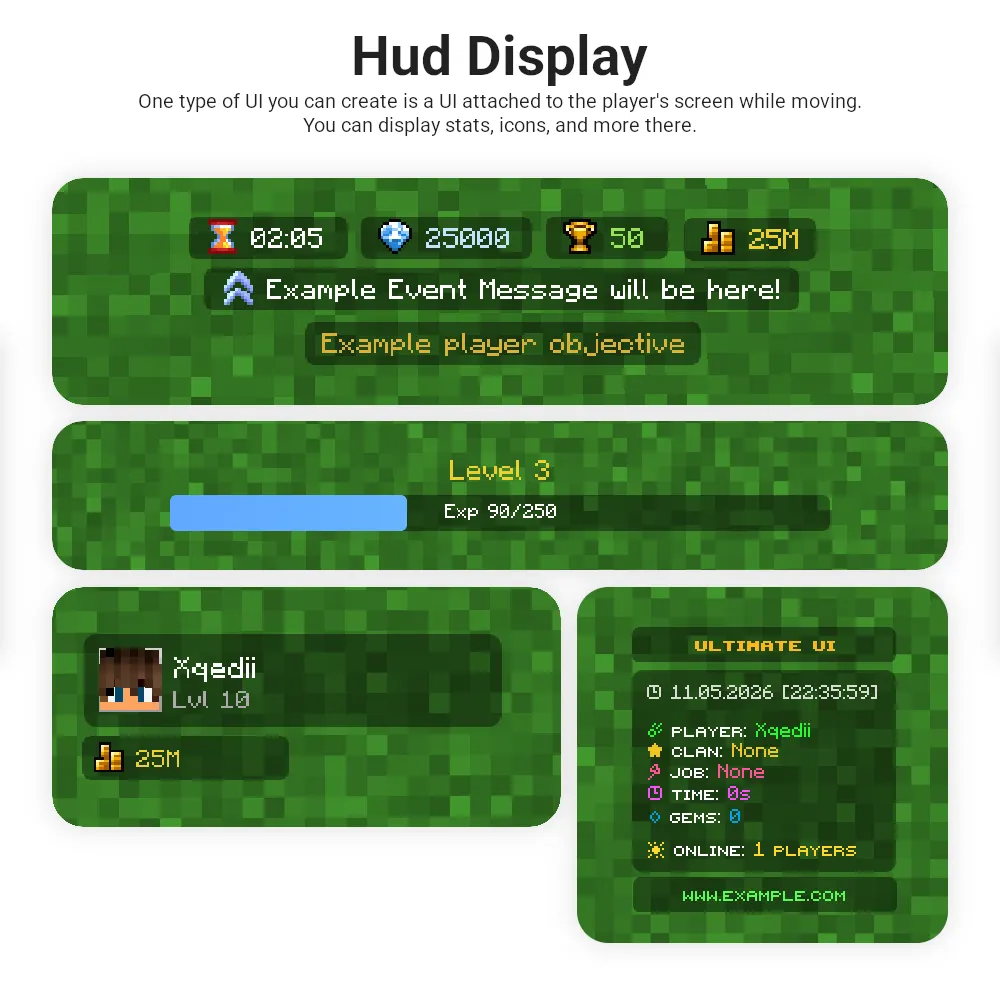
HUD
API
Installation, editor tools, actions, animations, configuration, permissions, UI examples and API reference. Documentation images and example downloads are hosted on BlackSpigot.
Create and edit UI pages in your browser, then export them for your server. Projects and uploaded images are saved in this browser. Export your files to back them up or move them to another device.
Access: Included with BlackSpigot Ultra.
Validated on Paper 26.3 build 193 / Java 25: startup without an activation key, API text/block/item page persistence, reload, default/custom resource-pack settings, and current web-editor YAML with List Layout parsing. Local browser create/edit/save/reopen/import/export and image-storage checks also passed. The source is an editable overlay project with recovered reference code, not a complete original-source rebuild. Bedrock/Folia, every optional integration and graphical Minecraft rendering have not been exhaustively tested for this release. Read VALIDATION.md and UPGRADING.md in the download.
Back up your UltimateUI data before upgrading. Existing legacy community pack URLs migrate to the new versioned pack; custom URLs remain unchanged. The original 1.3.4 ZIP and its earlier graphical-test evidence are included separately.
Original product listing
Amazing Features Included
- In-Game Editor
- Resource Pack
- PAPI Support
- HUD
- Image Support
- UI Items/Blocks
- IA Support
- Actions
- Oraxen Support
- Nexo Support
- Custom Args
- 3D Models
- Animations
- Plugin Docs
- Easy Editor
- Cursor UI
Images and Animations
Gameplay examples below are from the previous community release. See the current validation notes included in the download.
In-game editor
Cursor UI
UI demonstration
Animations
HUD
API
Documentation
Read the BlackSpigot-hosted UltimateUI documentationInstallation, editor tools, actions, animations, configuration, permissions, UI examples and API reference. Documentation images and example downloads are hosted on BlackSpigot.
Web Editor
Open the BlackSpigot UltimateUI web editorCreate and edit UI pages in your browser, then export them for your server. Projects and uploaded images are saved in this browser. Export your files to back them up or move them to another device.
Included in This Download
- UltimateUI plugin JAR
- Resource pack
- Updated offline web editor bundle with List Layout tools
- Original UltimateUI-1.3.4-community.1.zip included unchanged for rollback
- Recovered source archive, editable Java overlays and build tools
- Installation, build and validation notes
Release Information
Version: 1.4.2-community.1 (beta)Access: Included with BlackSpigot Ultra.
Validated on Paper 26.3 build 193 / Java 25: startup without an activation key, API text/block/item page persistence, reload, default/custom resource-pack settings, and current web-editor YAML with List Layout parsing. Local browser create/edit/save/reopen/import/export and image-storage checks also passed. The source is an editable overlay project with recovered reference code, not a complete original-source rebuild. Bedrock/Folia, every optional integration and graphical Minecraft rendering have not been exhaustively tested for this release. Read VALIDATION.md and UPGRADING.md in the download.
Back up your UltimateUI data before upgrading. Existing legacy community pack URLs migrate to the new versioned pack; custom URLs remain unchanged. The original 1.3.4 ZIP and its earlier graphical-test evidence are included separately.
Original product listing


